Mornings shouldn't
feel like a battle.
DaySteps has two sides: a calm, distraction-free experience for your child, and a powerful configuration layer for you. You set the pace. Your child gets the structure.
No spam. One message when DaySteps is ready.
Scaffolding fades.
Independence grows.
One parent-controlled level at a time. No automatic advances, no arbitrary thresholds. Every unlock is yours to make.
Guided
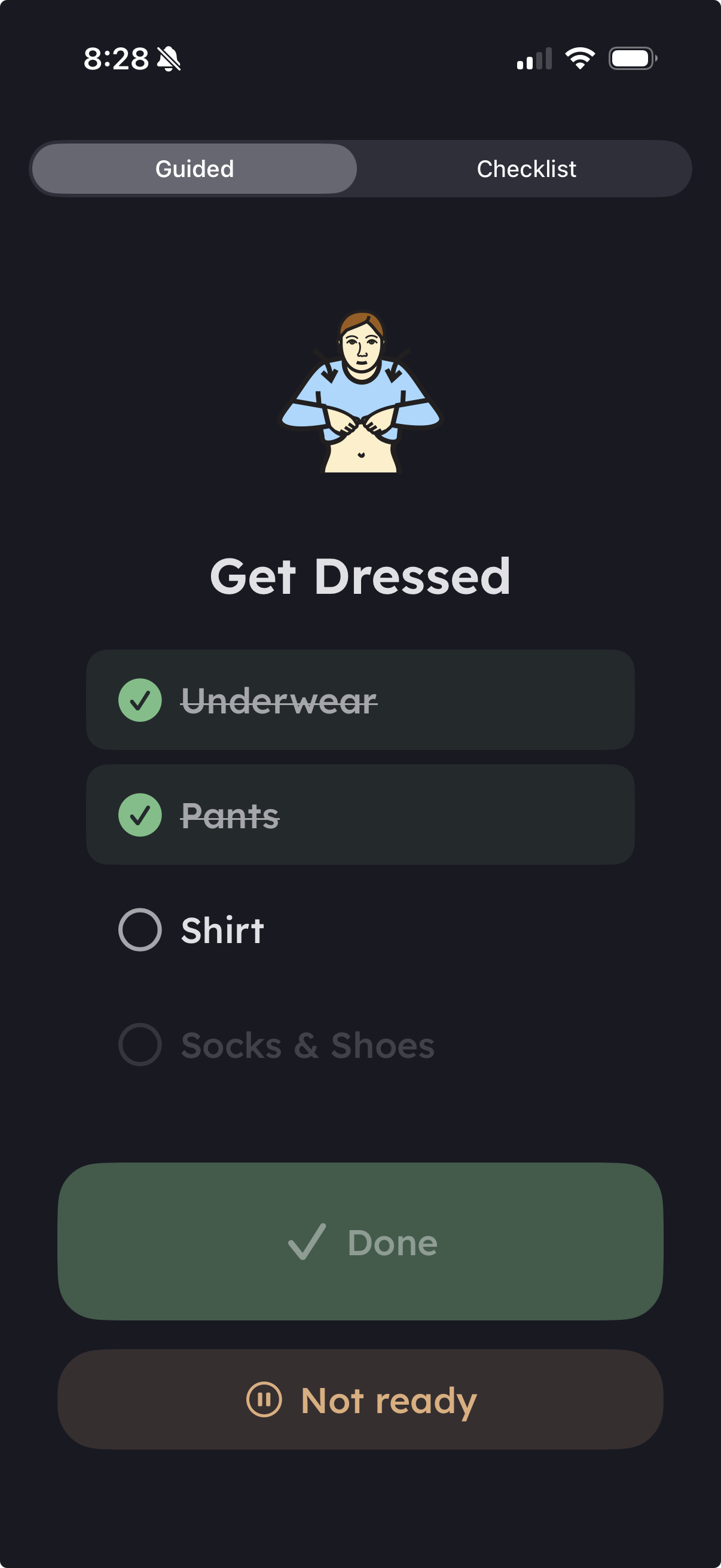
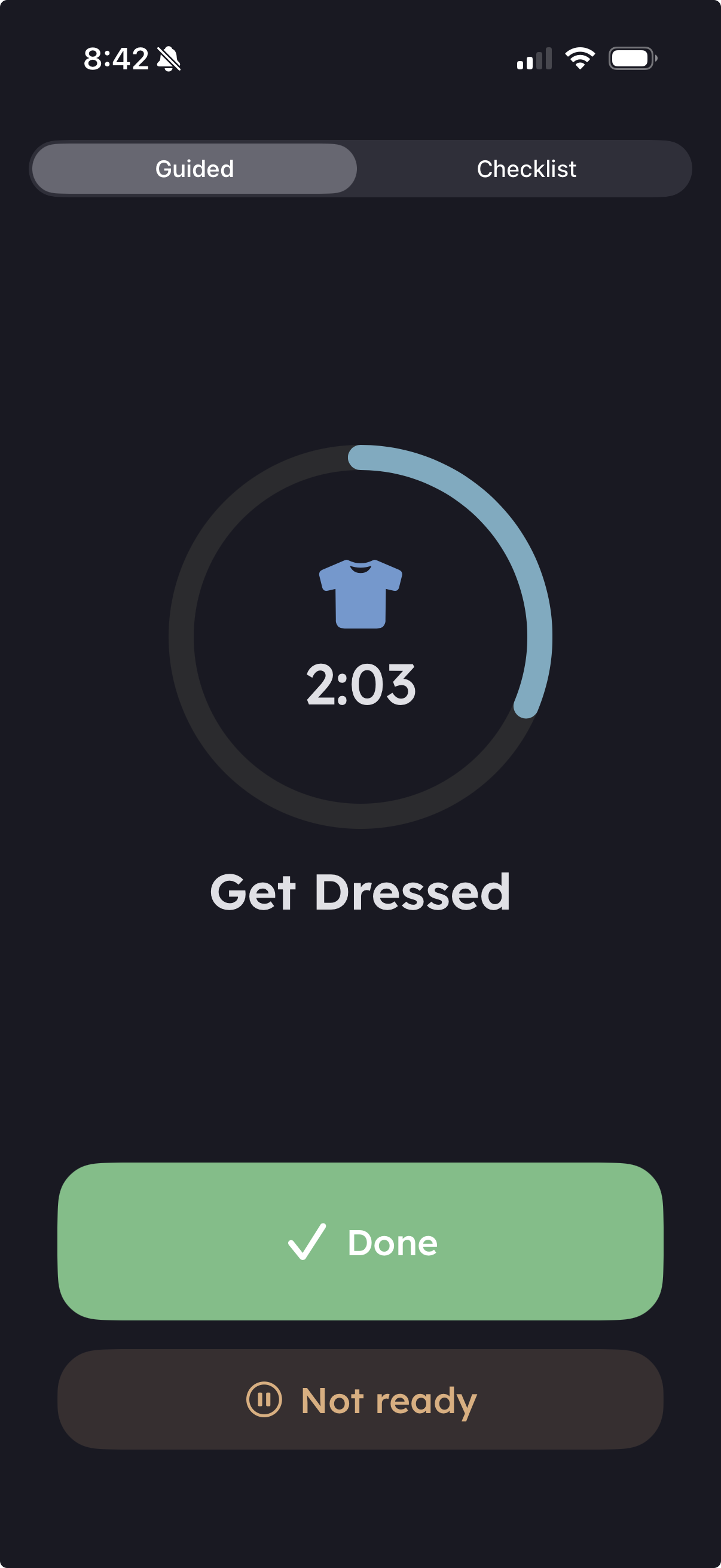
One step at a time, with a visible timer. Maximum scaffolding for children who need it.
Checklist
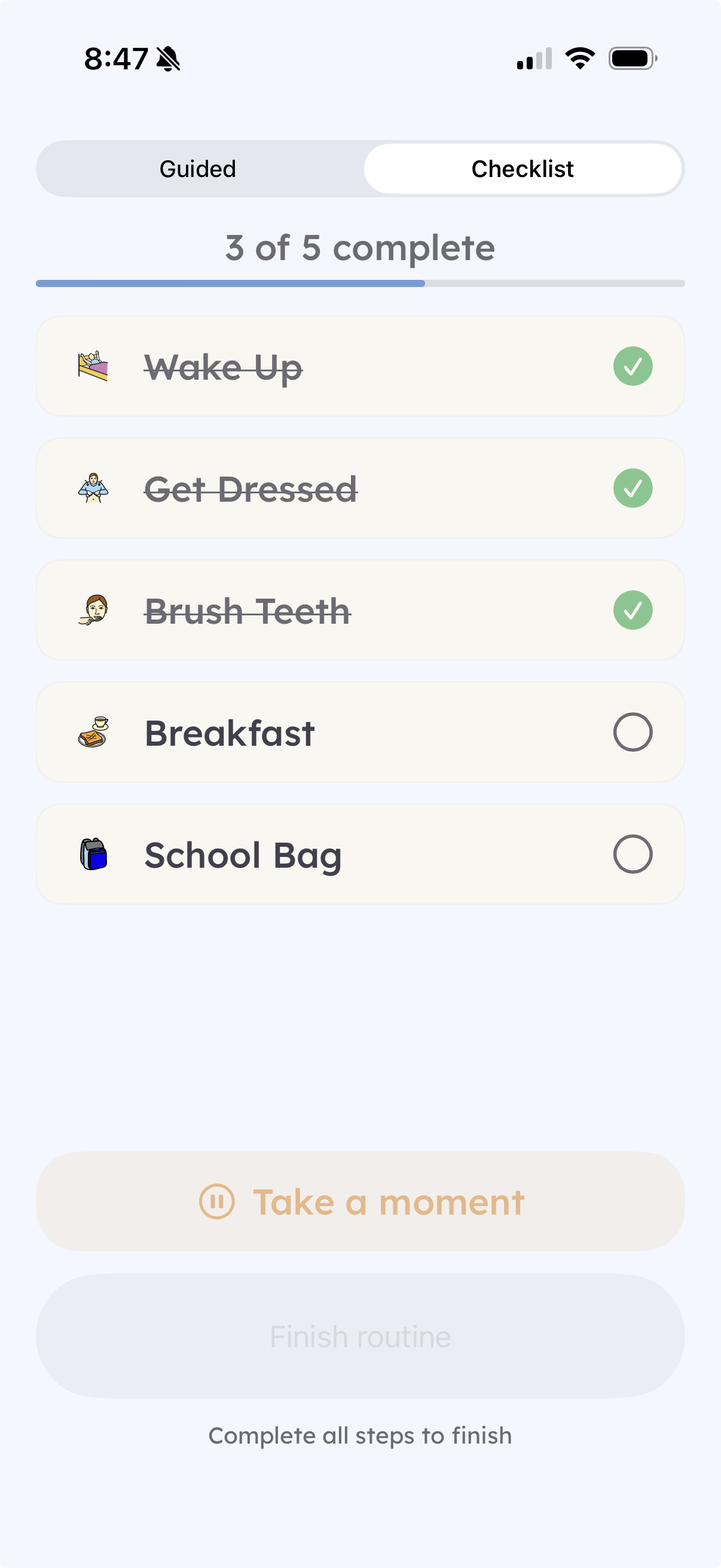
All steps visible. The child sets their own pace and taps to complete.
Their Day
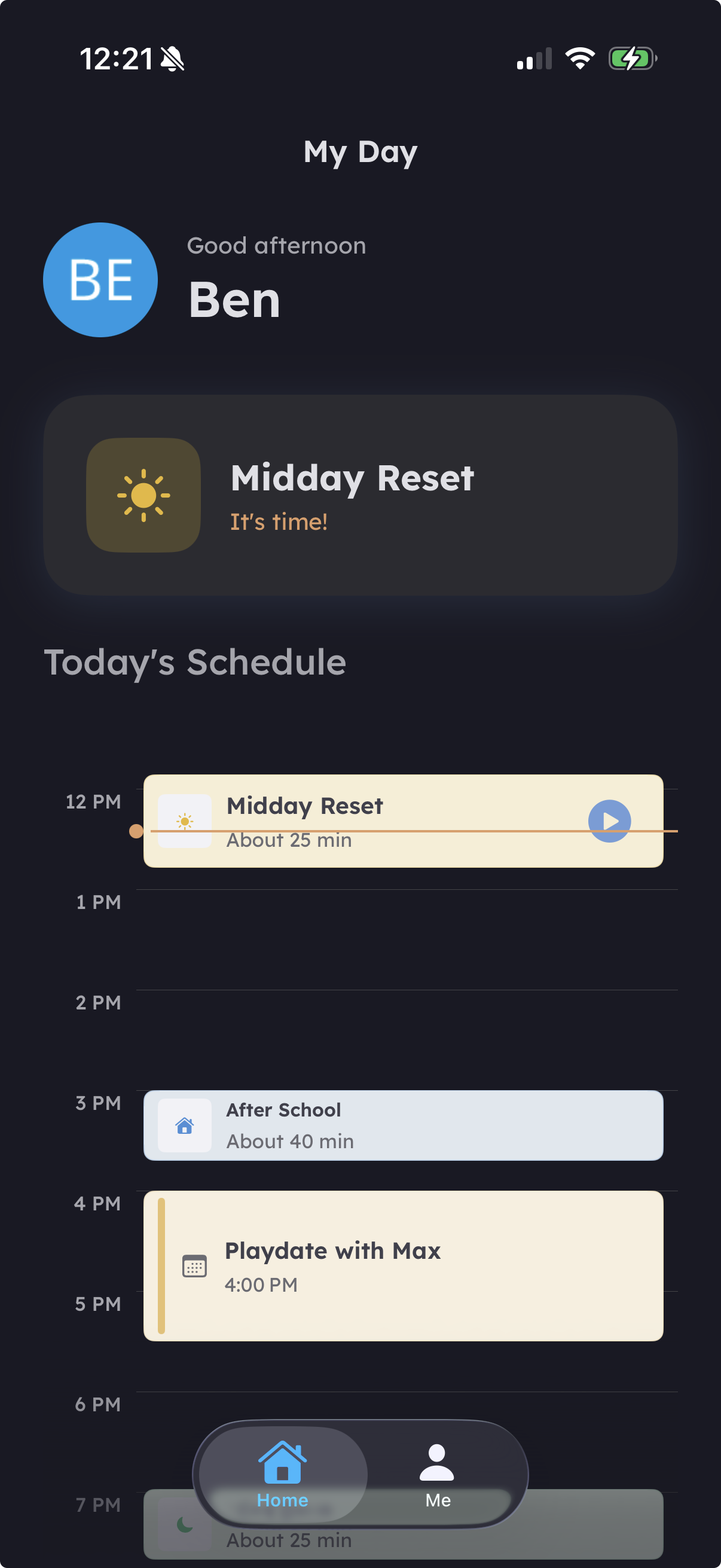
Their schedule, their own. You decide when they're ready for this level.
You're always in control of how much the app does.
DaySteps has five independent dials that control how much scaffolding your child sees. Adjust each one independently as your child grows — or as your clinician suggests.
Every axis starts at the most-supported level. You decide when to advance. There are no automatic promotions and no gamified thresholds.
Controls how routines are presented during execution. More scaffolding means more structure and hand-holding; less scaffolding gives the child ownership.
- Guided — one step at a time with a visible countdown timer
- Checklist — all steps visible, child taps to complete
- Child-Choice — child picks Guided or Checklist at routine start
Controls whether the child can see and eventually propose changes to their routines. All edits require parent approval.
- Tab Hidden — the child only sees assigned routines in the runner
- Tab Visible — the child can browse their routines (read-only)
- Child Can Propose Edits — the child can suggest changes for parent review
Controls how much of their day the child can see on the schedule screen. More visibility suits children who benefit from knowing what comes next.
- Anchor View — shows only the current and next routine
- Full Day — the complete day view
- 3-Day — see today, tomorrow, and the day after
- Full Calendar — full week and month navigation
Controls whether and how much progress information the child can view. Parents always have full access to insights regardless of this setting.
- Hidden — no analytics visible to the child
- Summaries — simple completion summaries
- Trends — patterns and trends over time
- Full — complete analytics view
Controls overall account independence. As the child matures, they can take on more ownership of their DaySteps experience.
- Recipient — child receives and executes routines configured by parent
- Contributor — child can suggest changes and provide input
- Co-Manager — child and parent share management responsibilities
You don't need to get this right on day one. Every axis starts at the most-supported level. You can change any setting at any time. If your child works with a clinician, they can suggest adjustments — but the decision is always yours.
Join the waitlist
Be among the first families to try DaySteps before public launch.
No spam. One message when DaySteps is ready.