A new kind of routine app

Routines that work
with your child's brain,
not against it.

DaySteps is a calm, clinically-grounded routine app for children with ADHD, autism, and executive function challenges — and the parents, educators, and clinicians who support them.

You're on the list — we'll be in touch.

No spam. One message when DaySteps is ready.

🏠
For Families

One step at a time, visible timers, zero shame mechanics. Calm structure that fades as they grow.

🩺
For Clinicians

Built on Zelazo et al. (2017). Aligned with ABA prompting hierarchies and visual activity scheduling.

🏫
For Teachers

Consistent structure from classroom to home — IEP-aligned, parent-permissioned, Chromebook-ready soon.

📋
The Science

Every design decision traces to peer-reviewed research, not engagement metrics.

Beta Access

Help shape DaySteps before launch.

We're inviting early families, clinicians, and school partners to join the beta. You'll get updates as the product takes shape — and a chance to influence what we build next.

Join the waitlist
No spam. Just occasional updates and early access opportunities.
You're on the list — we'll be in touch.
iOS · Coming Soon
For Families

Mornings shouldn't feel like a battle.

DaySteps has two sides: a calm, distraction-free experience for your child, and a powerful configuration layer for you. You set the pace. Your child feels the calm.

You're on the list — we'll be in touch.

No spam. One message when DaySteps is ready.

How it works
1
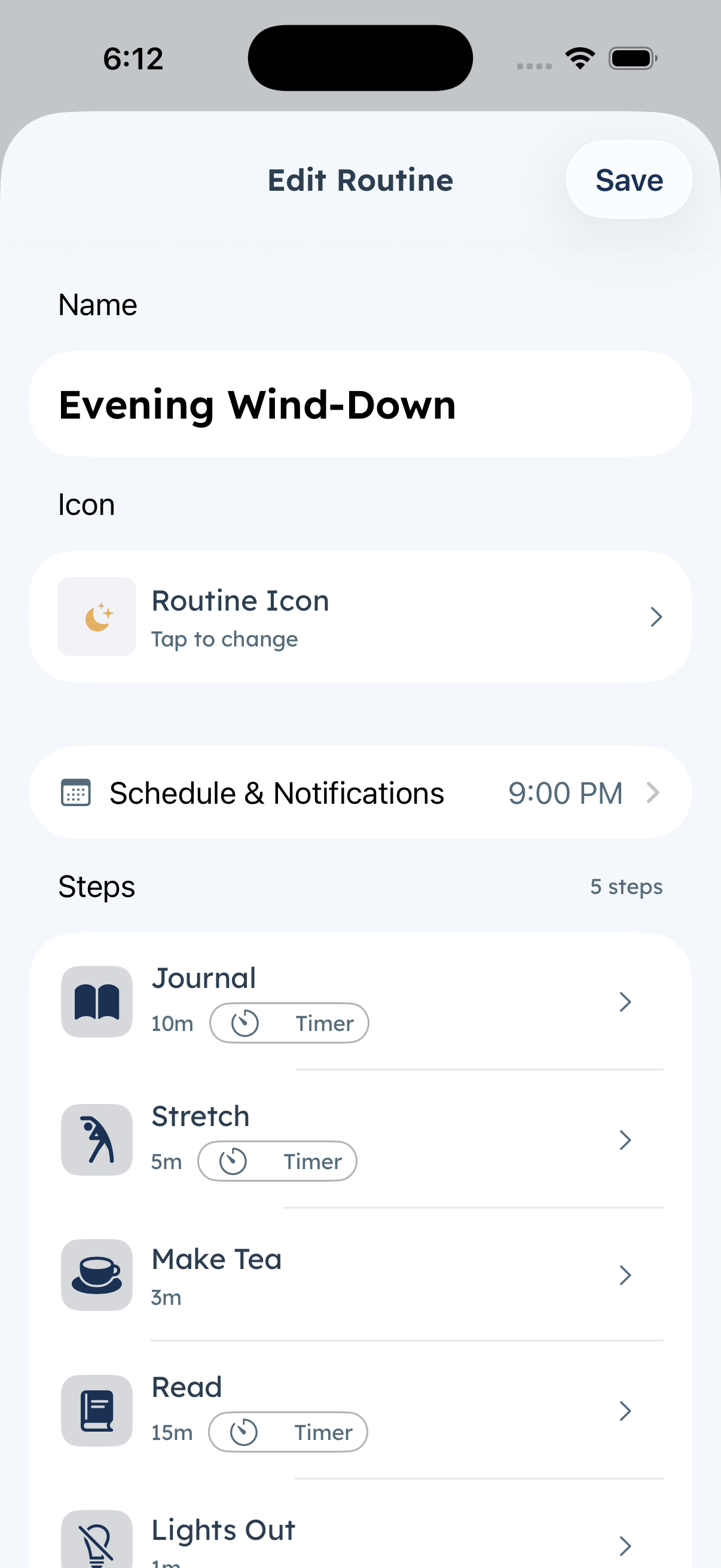
You build the routine. Add steps, set durations, pick an icon. Takes about 5 minutes.
2
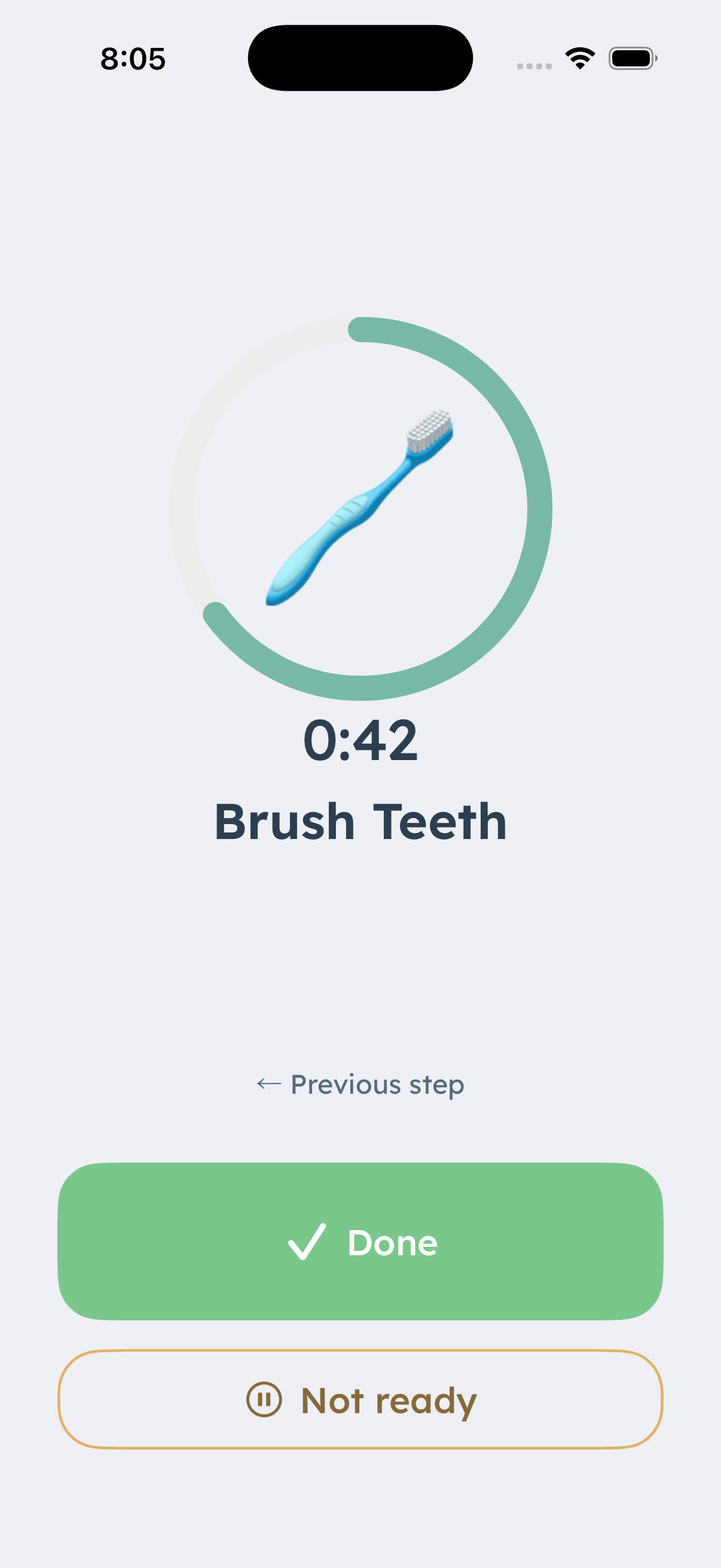
Your child executes it. One step at a time, on their device, at their pace.
3
You adjust as they grow. Unlock more independence when you decide they're ready — not automatically.

You're always in control of how much the app does.

DaySteps gives you five independent dials to tune the app to exactly where your child is today — and to unlock more as they grow. Nothing advances automatically. Every change is yours to make, when you decide it's time.

And if your child works with a therapist, OT, or school psychologist? They can send you structured suggestions directly through the app. You approve, decline, or modify every one.

🏃
Runner Level

Controls how much of a routine your child can see at once. Start fully guided; unlock more independence as they're ready.

Guided — one step, fully prompted
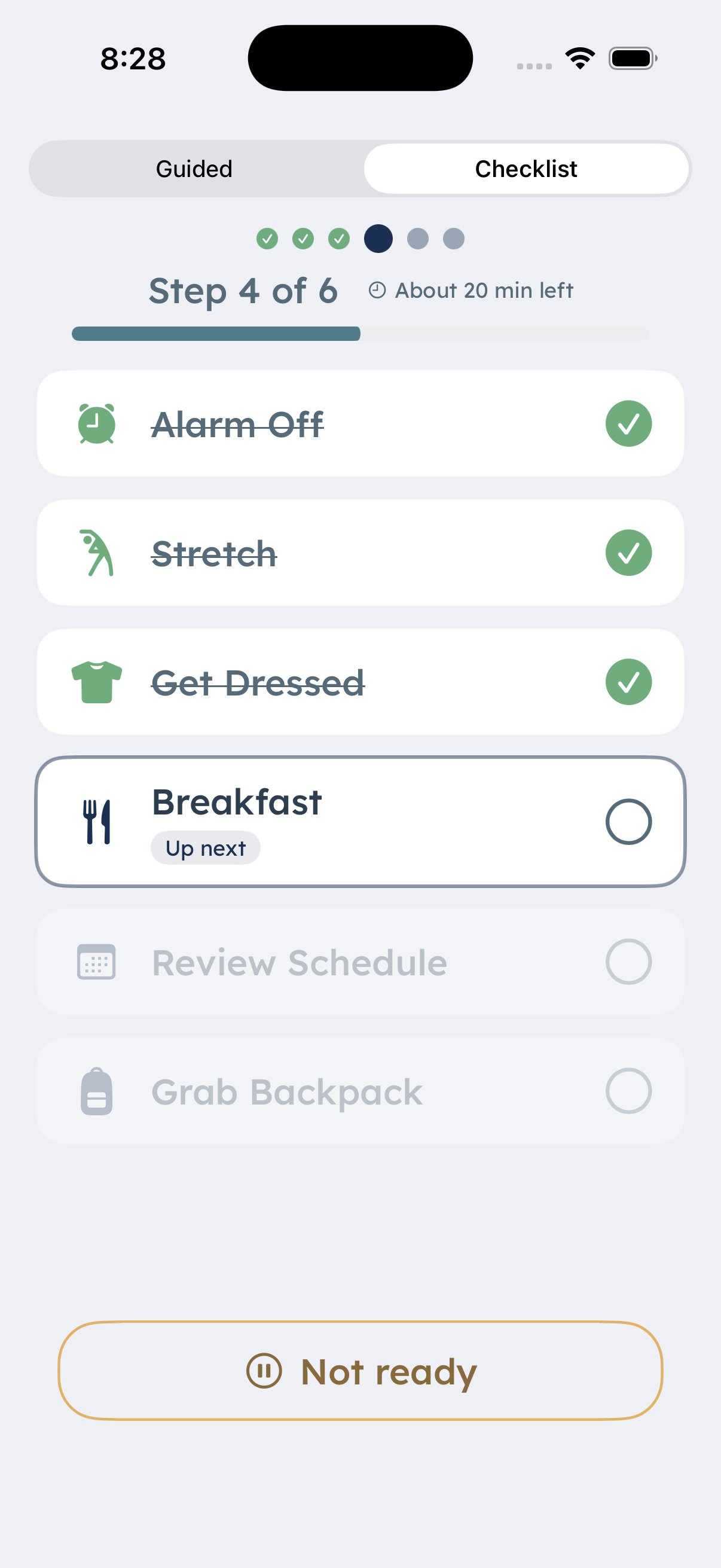
Checklist — all steps visible
Child-Choice — they pick the format
📋
My Routines

Controls whether your child can see and eventually propose edits to their own routines.

Tab hidden — they just follow
Tab visible — they can see their routines
Can propose edits — with your approval
📅
Calendar View

Controls how far ahead your child can see. Too much future visibility can increase anticipatory anxiety.

Anchor — today only
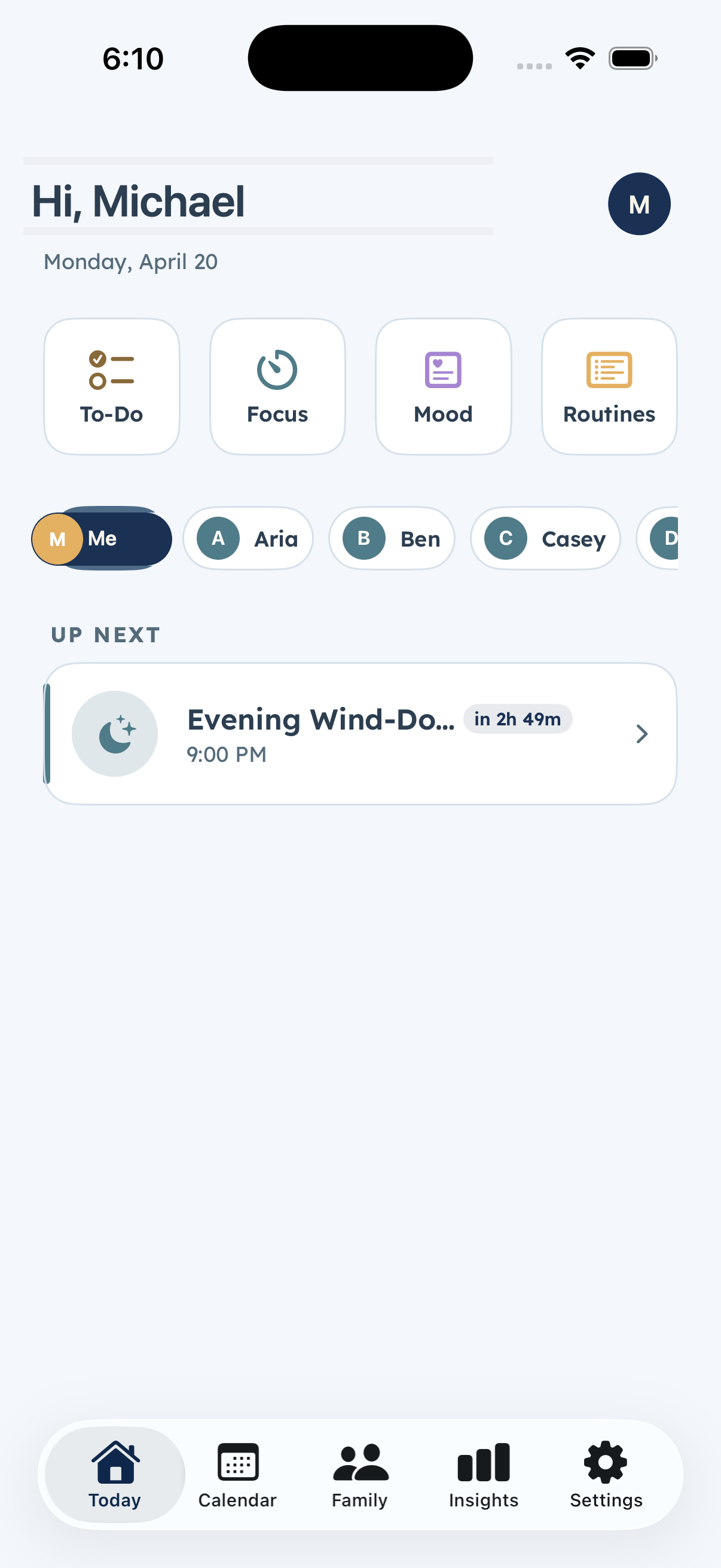
Full day → 3-day → Week
Full calendar
📊
Insights

Controls how much of their own progress data your child can see. Framed as growth, never as grades.

Hidden — adults only
Summaries → Trends
Full view
🔑
Autonomy Level

Controls your child's overall agency in the app — from receiving routines to helping shape them.

Recipient — follows routines
Contributor — adds input
Co-Manager — more ownership
💛

You don't need to get this right on day one. DaySteps is designed to start at the most supported settings by default — everything begins fully structured, and you only unlock more when you feel ready. If you're not sure where your child is, their therapist or OT can suggest a starting point and send recommendations through the app as they observe progress. You're not doing this alone.

Beta Access

Help shape DaySteps before launch.

We're inviting early families, clinicians, and school partners to join the beta. You'll get updates as the product takes shape — and a chance to influence what we build next.

Join the waitlist
No spam. Just occasional updates and early access opportunities.
You're on the list — we'll be in touch.
iOS · Coming Soon
For Clinicians

The data you've always needed — built into a tool families will actually use.

Built on Zelazo et al. (2017) and aligned with the EBPs your practice already uses: visual activity scheduling, systematic prompting, and immediate reinforcement. DaySteps is a therapeutic support tool you can recommend with confidence.

"When stimulation is in a moderate range and controllable, such as well-structured experiences in the classroom, neural activity in this brain network is balanced and EF is readily engaged."

— Zelazo, Blair & Willoughby (2017), IES / U.S. Dept. of Education
You're on the list — we'll be in touch.

No spam. One message when DaySteps is ready.

How you use it
1
Your client's family sets up DaySteps at home. Parents build routines around the goals you're working on together.
2
You connect via a referral code. Parents approve your access and configure exactly what you can see — you're a collaborator, not an observer.
3
You see real behavioral data between sessions. Initiation latency, step-level drop-off, affect ratings — and you can send structured advancement recommendations directly to parents.

Designed to complement what you already do — not replace it.

DaySteps is a therapeutic support tool, not a standalone clinical intervention. It operationalises the EBPs you already recommend — visual schedules, systematic prompting, immediate reinforcement — and makes them available every day at home, not just in session.

The five-axis progression model means scaffolding fades in lockstep with your clinical judgment. You decide when a client is ready to advance. The app just makes the prompting hierarchy visible, configurable, and measurable.

🧠
Built on Zelazo et al. (2017)

The IES-commissioned EF framework — working memory, inhibitory control, cognitive flexibility. The research base most school psychologists and OTs already cite.

📉
Data between sessions

Initiation latency, step-level drop-off, and daily affect ratings — behavioral signal across every day, not just your 50 minutes a week.

🎯
Scaffolding toward independence

The long-term goal is a child who needs less external support. Every axis advances only when you and the parent decide. The app grows with the clinical plan.

📨
Structured parent recommendations

Send a structured before-and-after suggestion for a specific routine — not a free-text message. Parent approves, declines, or modifies. You extend your clinical reach without becoming a project manager.

🩺

DaySteps is available to OTs, school psychologists (NCSP), BCBAs, and clinical psychologists. If you work with families navigating ADHD, autism, or executive function challenges, this was built for your clients. Join the waitlist for early clinical access and to shape the product before launch.

Beta Access

Help shape DaySteps before launch.

We're inviting early families, clinicians, and school partners to join the beta. You'll get updates as the product takes shape — and a chance to influence what we build next.

Join the waitlist
No spam. Just occasional updates and early access opportunities.
You're on the list — we'll be in touch.
iOS · Coming Soon
For Teachers

Consistent structure your students can carry from your classroom to home.

Children with EF challenges thrive on predictability across every environment. DaySteps lets you extend the structure you already provide — without adding overhead to your day or requiring a new framework.

"EF skills themselves can be a target of practice-based instruction… leading not only to improved EF but also to improved academic achievement."

— Zelazo, Blair & Willoughby (2017), IES / U.S. Dept. of Education
You're on the list — we'll be in touch.

No spam. One message when DaySteps is ready.

How you use it
1
Create your class and generate a QR code. Takes about 2 minutes. No IT tickets, no new accounts for families to create.
2
Share the code with families. Parents scan to link their child to your classroom. Every connection requires parent approval — no data is shared without explicit consent.
3
Students follow shared routines on their device. The same calm, step-by-step structure from your classroom — available every morning at home, on the same terms they already know.
📡
Keep the whole class on schedule

Broadcast a routine to all your linked students at once. Start the morning transition for everyone with one tap — no one waits, no one gets lost in the gap between instruction and action.

👁
See who's ahead, who's stuck

Real-time progress across your class — without walking the room or interrupting students who are focused. Know which students need a nudge before the moment passes.

🎚️
Guided or self-guided, per student

Same routine, different scaffolding levels. One student sees one step at a time, fully prompted. Another works from a checklist independently. You configure it. They both stay on track.

🌐
Chromebook-ready (coming soon)

A progressive web app for school-issued Chromebooks is on the roadmap — so students access DaySteps on the device they already use. No iOS device, no app install, no IT ticket.

One tool. Consistent structure everywhere your students go.

For students with ADHD, autism, or EF challenges, the gap between the school environment and home is where routines fall apart. DaySteps closes that gap — same structure, same prompting language, same one-step-at-a-time rhythm your students already know.

You don't have to train parents on a new system. Share your routines directly, let parents connect, and let the app carry the structure forward. The work you did in your classroom keeps working at 7am the next day.

📋
IEP-aligned by design

Visual activity schedules and systematic prompting are already embedded in how DaySteps works. No translation required between your IEP goals and the app's structure.

🏡
Home-school continuity

Students don't have to context-switch between how school works and how home works. The same calm structure, the same language, the same one-step-at-a-time rhythm.

Zero overhead to get started

A QR code and 2 minutes. No IT department, no parent training session, no new curriculum. If a family wants to use it, they can start the same day.

🏫

DaySteps is designed for general education teachers, special education teachers, and resource room educators who work with students with ADHD, autism, or EF challenges. Chromebook support is on the roadmap — join the waitlist and tell us what your school uses. It directly shapes what we build next.

Beta Access

Help shape DaySteps before launch.

We're inviting early families, clinicians, and school partners to join the beta. You'll get updates as the product takes shape — and a chance to influence what we build next.

Join the waitlist
No spam. Just occasional updates and early access opportunities.
You're on the list — we'll be in touch.
iOS · Coming Soon
The Science

Every decision has a reason.

No engagement mechanics. No dark patterns. Each design choice traces to peer-reviewed research or established clinical consensus — not retention metrics.

01
One task at a time

The child-facing view shows exactly one step — never the full sequence. Displaying the full list exceeds working memory capacity and increases anticipatory anxiety before a single task is attempted.

Evidence
02
Visible time for time blindness

Time blindness is a core ADHD feature, not a behavior choice. Concrete visual timers are a documented intervention. Every step has one. (Barkley 1997; Zheng et al. 2022 meta-analysis, Hedges' g > 0.66.)

Evidence
03
Calm is a clinical requirement

Stress elevates catecholamines, which suppress the prefrontal cortex — the region responsible for EF. No alarm-register red in child UI. Zero punitive states. Zero failure mechanics. (Arnsten 2009; Arnsten et al. 2011.)

Evidence
04
No gamification for children

Streaks, points, badges, and leaderboards spike cortisol and undermine intrinsic motivation. Completion feedback — immediate, competence-framed acknowledgment at task completion — is clinically distinct and appropriate. The mechanics of achievement games are not.

Clinical consensus
05
Scaffolding fades toward independence

DaySteps starts fully structured and reduces external support as the child demonstrates consistency — mapped to ABA prompting hierarchies and Greer/CABAS. The goal is reduced reliance on external scaffolding, not permanent dependency on an app.

Evidence · Zelazo et al.; Greer (2002)
06
Autonomy support drives EF development

Zelazo et al. (2017) identify autonomy support as a driver of EF development above and beyond general positive parenting. Children should experience the routine as their own tool — not a surveillance system imposed on them.

Evidence · Zelazo et al. (2017)
Key Research Anchors
Source Finding Role in DaySteps
Zelazo, Blair & Willoughby (2017)
IES / U.S. Dept. of Education
EF = working memory + inhibitory control + cognitive flexibility. Autonomy support drives EF development. Primary anchor
Barkley (1997a/b) Time blindness and temporal myopia as core ADHD features — not behavioral choices. Basis for visible countdown timers on every step
Zheng et al. (2022) Time perception deficits confirmed via meta-analysis: Hedges' g > 0.66 for precision. Quantitative support for timer design
Arnsten (2009, 2011) Stress → elevated catecholamines → PFC suppression → EF failure. Basis for zero failure states; no alarm-red in child UI
Zentall & Zentall (1983) ADHD = cortical under-arousal; task-relevant color improves on-task performance. Basis for High Visual Salience option
Robertson & Baron-Cohen (2017) Up to 90% of autistic individuals have sensory differences. Basis for Low Visual Salience option
Greer, R.D. (2002) — CABAS Systematic application of behavioral principles to structured learning environments. Underpins Runner axis progression design
Beta Access

Help shape DaySteps before launch.

We're inviting early families, clinicians, and school partners to join the beta. You'll get updates as the product takes shape — and a chance to influence what we build next.

Join the waitlist
No spam. Just occasional updates and early access opportunities.
You're on the list — we'll be in touch.